Orpheus DAW
A digital audio workstation written in C++ that's geared towards game development and music theory education. It provides tools for tension analysis so that creators can more easily control the emotion of the music, horizontal and vertical layering for adaptive game music, real-time chord identification, MIDI 2.0, etc.
Introduction
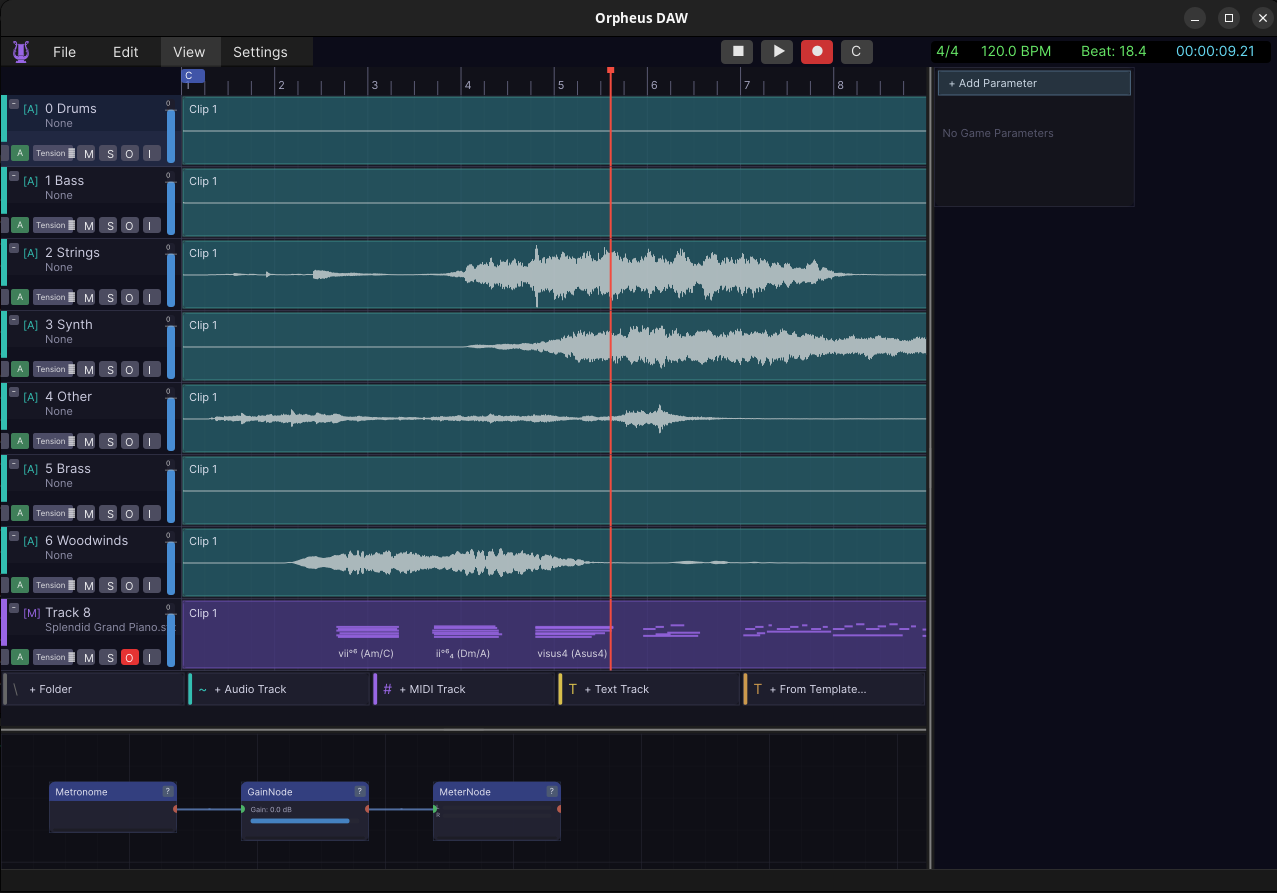
Orpheus is a digital audio workstation, which is the kind of software musicians use to record, arrange, and mix music, written in C++. Instead of aiming at people making a finished song, Orpheus is built for game developers who need music that reacts to what’s happening on screen, and for people who want to learn how music works while they make it.
Here’s a track to set the mood while you read.
Music that reacts to the game
In most games, the music is a fixed loop that plays on repeat no matter what you’re doing. Orpheus is built to change that. A composer can write music that responds to the game in real time: the drums drop out as your health gets low, the mood shifts from calm to combat the moment danger shows up, a little musical flourish fires when you pick up a key item.
You design all of that inside the app, then export a single small file. The game loads that file and plays the music live, reacting to whatever the player does. Tools like Wwise and FMOD do something similar, but they live outside the composing software. In Orpheus the writing and the interactivity are the same tool.
Two ways to work: Arrange and Flow
Orpheus gives you two views of the same project. The Arrange view is the familiar timeline, where clips and notes sit left to right along a ruler of time. The Flow view is a visual patch bay, where you drag boxes for instruments and effects and draw cables between them to shape the sound.
Safe add-ons
Like most music software, Orpheus can load plugins, which are third-party instruments and effects. The problem is that a buggy plugin can normally take the whole app down with it. Orpheus runs add-ons in a kind of locked room: they get only the access they explicitly ask for, and if one crashes or misbehaves, the session keeps running instead of dying. Downloaded plugins are also checked against a known fingerprint before they’re trusted, so you don’t run something that was tampered with.
Letting an AI help drive
Orpheus can also be controlled by an AI assistant via MCP. It exposes a small control layer that an agent can talk to, so you can ask it to inspect a project, change the tempo, start and stop playback, or kick off an export, all in plain language. It’s an experiment in what it looks like when the assistant is a real collaborator inside a creative tool rather than a chat window off to the side.
Inspiration
A shout-out to ThinkSpace Education, whose work on scoring for games and media shaped a lot of my thinking here. Their teaching on how music carries emotion and reacts to a scene is a large part of why Orpheus leans so hard into adaptive, game-ready music and into helping people actually learn the craft while they write.